SPF, DKIM, DMARC and SSL checker
Check whether your domain publishes SPF, DMARC and MX records, look for common DKIM selectors, and confirm the SSL certificate is valid. Each gap comes with a next step, in the order to fix it.
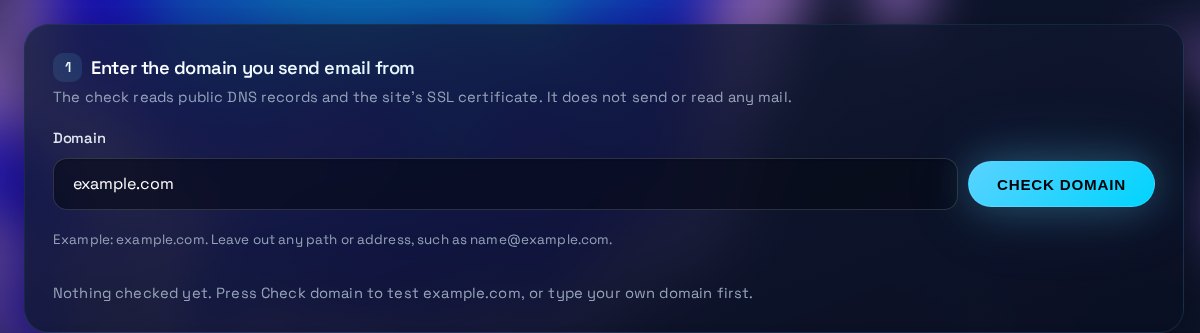
Enter the domain you send email from
The check reads public DNS records and the site's SSL certificate. It does not send or read any mail.
Example: example.com. Leave out any path or address, such as [email protected].
Nothing checked yet. Press Check domain to test example.com, or type your own domain first.
Results and next steps
Results appear here after a check.
| Check | Status | What we found |
|---|
Fix in this order
Nothing needs fixing from these checks.
Raw records
The exact values that were found. Copy them into a support request or compare them with your DNS host.
No records yet. They appear after a check.
How to use the Email DNS & SSL Checker
Run the check on the domain you send email from, then work through the next steps in order. DNS changes can take hours to spread, so check again after your provider confirms the change.
What the tool checks
The tool reads public DNS records for the domain. It looks for an SPF record, which is a TXT record that starts with v=spf1, and a DMARC record at _dmarc. It tries a short list of common DKIM selectors and reads the MX records that receive mail. It also connects to the site over HTTPS to read the SSL certificate, its expiry date and whether browsers trust it. It does not send mail and cannot see any messages.
How to read the result
Each row has a status. Red is a problem, such as a missing SPF record or an expired certificate. Amber means the setup works but could be stronger, such as DMARC set to monitoring only. Blue means the check did not run, or the domain has deliberately no mail service. Green means the record is in place. The verdict above the table sums these up. Raw records lists the exact values that were found, so you can compare them with your DNS host.
What to fix, and in what order
Start with anything that stops delivery or browsing: an expired or untrusted certificate, or no MX records on a domain that receives mail. Next fix SPF, because DMARC depends on it. Then turn on DKIM signing in your mail provider and publish the keys it gives you. Finally move DMARC from p=none to quarantine and then reject, once the reports show that legitimate mail passes. Change one thing at a time and check again.
When to get help
Ask your email provider or a DNS specialist if DKIM is not found and you use a custom selector, if SPF needs many include entries, or if you are not sure which services send mail for the domain. Get help before you move DMARC to reject, because a wrong policy can block real mail such as invoices or sales email. A certificate that browsers do not trust usually needs your hosting provider to reinstall or renew it.
Three steps
The short version, if you want to get straight to your answer.
- Enter a domain. Type the domain you send email from, such as example.com. Leave out any path or address.
- Read each check. SPF, DMARC, DKIM, MX and SSL each show a status and the record that was found.
- Fix what is flagged. Each problem has a next step in plain English. Make the change at your DNS host or certificate provider, then check again.
Tips for accurate results
Small input choices change the answer. These are the ones that matter most.
- Enter the domain you send from. If marketing or billing mail goes from a subdomain, run the check on that subdomain as well.
- Keep one SPF record. Merge every include into a single v=spf1 line, because two separate records fail even when each one is correct.
- Start DMARC at p=none with a rua address, read the reports for two to four weeks, then tighten the policy.
- A missing DKIM result is not proof of failure. Providers use custom selectors, so confirm DKIM in your provider's settings.
- Set a reminder 30 days before the certificate expires and confirm renewal is automatic. This tool marks a certificate amber in its last 30 days.
Questions about the Email DNS & SSL Checker
Answers to the questions people ask most often.
What does a DMARC policy do?
DMARC tells receivers what to do with mail that fails SPF and DKIM alignment. p=none only reports, p=quarantine sends failing mail to spam, and p=reject blocks it. Start with none, then tighten once the reports show that real mail passes.
Why can't every DKIM record be listed?
DKIM keys sit under selectors that the sender chooses, and DNS has no way to list them. The tool checks common selectors, so a miss is not proof that DKIM is absent.
Why is more than one SPF record a problem?
A domain should publish only one SPF record. With two, receivers treat SPF as failed, so the protection does nothing. Merge them into one record.
What is a null MX record?
A null MX is one MX record with priority 0 and the host '.', which tells senders the domain accepts no mail. Use it on a domain that only hosts a website and never receives email.
Does this tool read my email?
No. It reads public DNS records and the site's TLS certificate. It does not see any messages, and it sends no mail.
More free tools
Other tools from TRIZAN you might use next.
 AI and web visibilityllms.txt Checker & GeneratorValidate a site's llms.txt against the format rules, then generate a valid file for your own pages.Open the tool
 AI and web visibilityAI Bot Access TesterSee whether robots.txt lets GPTBot, ClaudeBot, PerplexityBot, Google-Extended and other AI crawlers in.Open the tool
 AI and web visibilitySocial Preview & Favicon ToolPreview how a link looks on LinkedIn, X, Slack and iMessage, then make favicon sizes and favicon.ico.Open the tool