llms.txt checker and generator
Check whether a site publishes a valid llms.txt file, and see exactly which format rules pass or fail. Then build a clean llms.txt for your own site from its key pages.
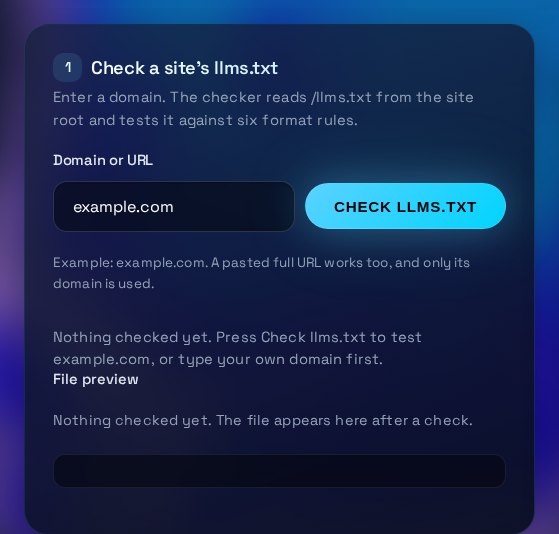
Check a site's llms.txt
Enter a domain. The checker reads /llms.txt from the site root and tests it against six format rules.
Example: example.com. A pasted full URL works too, and only its domain is used.
Nothing checked yet. Press Check llms.txt to test example.com, or type your own domain first.
| Rule | Result | Detail and fix |
|---|
Nothing checked yet. The file appears here after a check.
Generate a llms.txt for your site
Fill in the site name, a one-sentence summary and your key pages. The file updates as you type.
Format: Title | https://address | optional note. Only https addresses are used.
Reads the homepage of the domain in step 1, adds its same-site links and fills any blank fields. Lines you wrote are kept.
How to use the llms.txt Checker & Generator
Use the checker on any public site, and the generator to write the file for your own. Both take a few minutes.
What the checker tests
The checker requests /llms.txt from the root of the domain you enter. If the server returns a 404, it tries /llm.txt, the other common name. It then applies six rules: the file exists and is plain text, the first line is an H1 title, a blockquote gives a summary, there is at least one H2 section, every bullet is a link in the form - [Name](url): note, and the links are absolute https addresses. The file must also stay under 100 KB.
How to read the result
The score counts passed rules out of the total, and the to-fix count shows how many failed. Failed rules are listed first. The detail column quotes what the checker found, such as the first line of the file or the first bullet that does not match. Not checked means an earlier failure, usually a missing file, stopped the rule from running. Fix the file first and check again, because one missing part can hide others.
What to fix, and in what order
Start with the file itself. If it is missing, publish plain text at the site root, not inside a folder, and make sure the server does not redirect it to a login or HTML page. Next add the H1 title and the blockquote summary, since assistants read these lines first. Then group your links under H2 headings, and rewrite each bullet as a Markdown link with a full https address. Trim the file last if it is too large. Long lists of URLs belong in your sitemap.
When to get help
A llms.txt file is short, so most sites can fix one in under an hour. Ask a developer or your web host for help if the server returns errors, serves the file with the wrong content type, or sends it to a page that needs a login. Get help too when many teams publish pages and you need a process that keeps the file in step with new content. A valid file is a useful signal, but it does not replace clear page content.
Three steps
The short version, if you want to get straight to your answer.
- Check a domain. Enter a domain. The tool fetches its /llms.txt (or /llm.txt) and tests it against the format rules.
- Read the results. Each rule shows pass or fail, with a fix for anything that fails, and a preview of the file.
- Generate your own. Enter your site name, summary and key pages, or suggest them from your homepage. Copy or download the file.
Tips for accurate results
Small input choices change the answer. These are the ones that matter most.
- Keep the summary to one sentence that names the business and what it does. Assistants quote it, so it has to be accurate without the rest of the page.
- Link only to pages that answer real questions, such as services, pricing, documentation and contact. Leave out tag archives, login pages and near-duplicates.
- Use the same URLs as your sitemap and canonical tags, so the file never points at a redirected or noindexed page.
- Check the live file after every deploy. A CDN, a cookie wall or a login page can return HTML at /llms.txt even when your source file is correct.
- Serve the file as plain text at the root with no redirect. A redirect to another domain or a language path can make some tools skip it.
Questions about the llms.txt Checker & Generator
Answers to the questions people ask most often.
What is llms.txt?
llms.txt is a proposed convention, not an official web standard. It is a Markdown file at the root of a site that gives AI assistants a short summary and a list of the most useful pages, with links in a fixed format.
Does llms.txt improve Google rankings?
Not directly. Google has said its search systems do not use llms.txt, and no major search engine has confirmed using it for ranking. Clear titles, useful pages and sound technical SEO still matter most for Search. Publish the file for AI assistants if you want, but do not expect it to move rankings.
Where do I put llms.txt?
Put it at the root of the domain, so it loads at https://yourdomain.com/llms.txt. It must be plain text, return HTTP 200 and not redirect. A file in a subfolder, such as /docs/llms.txt, is not where the convention expects it.
What is the difference between llms.txt and robots.txt?
robots.txt tells crawlers which paths they may fetch, so it controls access. llms.txt is a summary and a map that helps AI assistants find your most useful pages. A valid llms.txt does not block or allow anything, and it does not override a Disallow rule.
Does a valid llms.txt make AI tools use it?
No. Support varies by tool, and a valid file does not force any crawler or assistant to read it. It is a clear, cheap signal that helps where it is read, not an access control.
More free tools
Other tools from TRIZAN you might use next.
 AI and web visibilityAI Bot Access TesterSee whether robots.txt lets GPTBot, ClaudeBot, PerplexityBot, Google-Extended and other AI crawlers in.Open the tool
 AI and web visibilitySocial Preview & Favicon ToolPreview how a link looks on LinkedIn, X, Slack and iMessage, then make favicon sizes and favicon.ico.Open the tool
 Email and securityEmail DNS & SSL CheckerCheck a domain's SPF, DMARC, DKIM, MX and SSL certificate, with a plain-English fix for each gap.Open the tool