Open Graph preview and favicon generator
See how a page's title, description and image appear when it is shared, and check the og:image size. Then turn one square logo into favicon and app icon files, made in your browser.
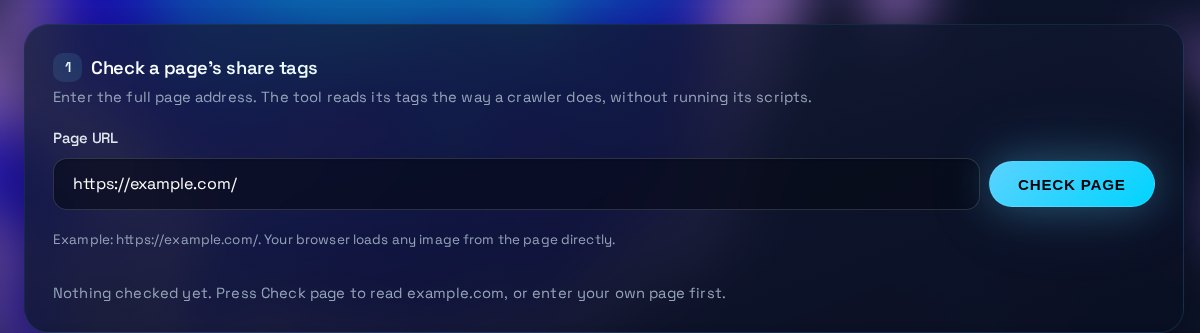
Check a page's share tags
Enter the full page address. The tool reads its tags the way a crawler does, without running its scripts.
Example: https://example.com/. Your browser loads any image from the page directly.
Nothing checked yet. Press Check page to read example.com, or enter your own page first.
What to fix
| Tag | Result | Value |
|---|
No image checked yet.
| Rel | Sizes | URL | Icon |
|---|
How the link may look when shared
Make favicon and app icon files
Use one square image, at least 512 px. The sizes are made in your browser and are not uploaded.
Non-square images are centred with transparent space around them.
Nothing generated yet. Choose an image to begin.
| File | Preview | Use | Download |
|---|
<link rel="icon" href="/favicon.ico" sizes="any">
        <link rel="icon" type="image/png" sizes="32x32" href="/favicon-32x32.png">
        <link rel="apple-touch-icon" sizes="180x180" href="/apple-touch-icon.png">
Upload the downloaded files to the site root, then add these lines to the head of each page.
How to use the Social Preview & Favicon Tool
Check a live page first to find missing share tags, then make icon files if your site needs them. The two steps are independent.
What the tool checks
The tool fetches the page you enter and reads its Open Graph and Twitter tags, its title element and its icon links. It looks for og:title, og:description, og:image and og:site_name, and for twitter:card, which tells X whether to show a large picture. It then loads the og:image to measure its width and height. Scripts on the page never run, so you see the HTML a crawler reads first.
How to read the result
Each tag is marked present (green), weak (amber) or missing (red). Weak means the tag is absent but a fallback is used, such as the title element when og:title is missing. The og:image row reports its size, and 1200 by 630 pixels, about 1.91 to 1, is the size most platforms fit best. The share cards are approximations, because platforms crop, style and cache previews differently. Use them to check the tags, not as exact screenshots.
What to fix, and in what order
Fix missing tags first, since a link with no picture or title is the one most likely to be ignored. Add og:image with a full public https address, then og:title and og:description. Set twitter:card to summary_large_image if you want a large picture on X. For icons, start from one square PNG or SVG of at least 512 px, download the sizes you need, and link them from the head of your pages. Then check the page again.
When to get help
Ask a developer if your pages are built only in the browser, because social crawlers may not see tags that are added by script. Get help when the image URL changes often, when a CDN keeps serving old tags, or when a platform still shows an old preview after you fix the tags. Most platforms have a link debugger that refreshes its cache, and that step is worth doing after every change.
Three steps
The short version, if you want to get straight to your answer.
- Check a page. Enter a page URL. The tool reads its Open Graph and Twitter tags, its title and its icon links.
- Review the previews. Preview cards show how the link may look on four platforms. Missing or oddly sized images are flagged.
- Make your icons. Upload a PNG, JPG or SVG. Download each size, or a multi-size favicon.ico. The files are made in your browser.
Tips for accurate results
Small input choices change the answer. These are the ones that matter most.
- Use a 1200 by 630 image with the key text in the middle, since platforms crop the edges. Keep the file under 5 MB.
- Make og:image a full https address. Many link crawlers do not resolve relative paths such as /share.jpg reliably.
- Write og:title and og:description for someone who has never seen the site, not as a keyword list. Keep the title under about 60 characters.
- For a favicon, use a square image with one simple shape and no fine text. Browser tabs show it at 16 to 32 px, so detail is lost.
- After changing tags, refresh the platform's cache with its link debugger. Otherwise the old preview may remain and make a working fix look broken.
Questions about the Social Preview & Favicon Tool
Answers to the questions people ask most often.
What size should an og:image be?
1200 by 630 pixels, a ratio of about 1.91 to 1, is the size most platforms use. Keep it under 5 MB, use PNG or JPG, and make sure the URL is public and loads without a login.
Why does the preview differ on each platform?
Each platform crops, styles and caches link previews differently. The cards here are approximations to help you check the tags, not exact copies of what each platform will show.
Which favicon files do I need?
Most sites need a favicon.ico for older browsers, a 32 px PNG for tabs, and a 180 px apple-touch-icon for iOS home screens. Add 192 and 512 px PNGs if you offer a web app manifest for Android.
Do I need these tags on every page?
Yes for the share tags, since each page can have its own title and image. A page with no og:image shares with no picture. Favicon links usually go once in the site template, so every page gets them.
Is my image uploaded anywhere?
No. The icon files are generated in your browser from the file you choose. Only the page URL you enter is fetched through our server.
More free tools
Other tools from TRIZAN you might use next.
 AI and web visibilityllms.txt Checker & GeneratorValidate a site's llms.txt against the format rules, then generate a valid file for your own pages.Open the tool
 AI and web visibilityAI Bot Access TesterSee whether robots.txt lets GPTBot, ClaudeBot, PerplexityBot, Google-Extended and other AI crawlers in.Open the tool
 Email and securityEmail DNS & SSL CheckerCheck a domain's SPF, DMARC, DKIM, MX and SSL certificate, with a plain-English fix for each gap.Open the tool